Trace is a menubar app for people running several projects at once. Log tasks and notes with slash commands in under five seconds — tag and filter your work, run a focus timer, jump into Cursor — and watch a per-project heatmap built from your real work, not your intentions.
Log, organise, and navigate without a menu in sight. Project arguments are implicit inside a project, explicit (#project) from global — and typing # tab-completes project names, quotes and all.
Explicit over magical. Typos produce errors, not autocorrect. From global you always name the project. Archiving is no longer a command — flip the Active toggle in the project header instead.
Trace lives in a single dropdown. Hit the shortcut and whatever you need — the project list, one project, its journal, its heatmap — is already there. No window to manage, no Dock icon to hunt for.
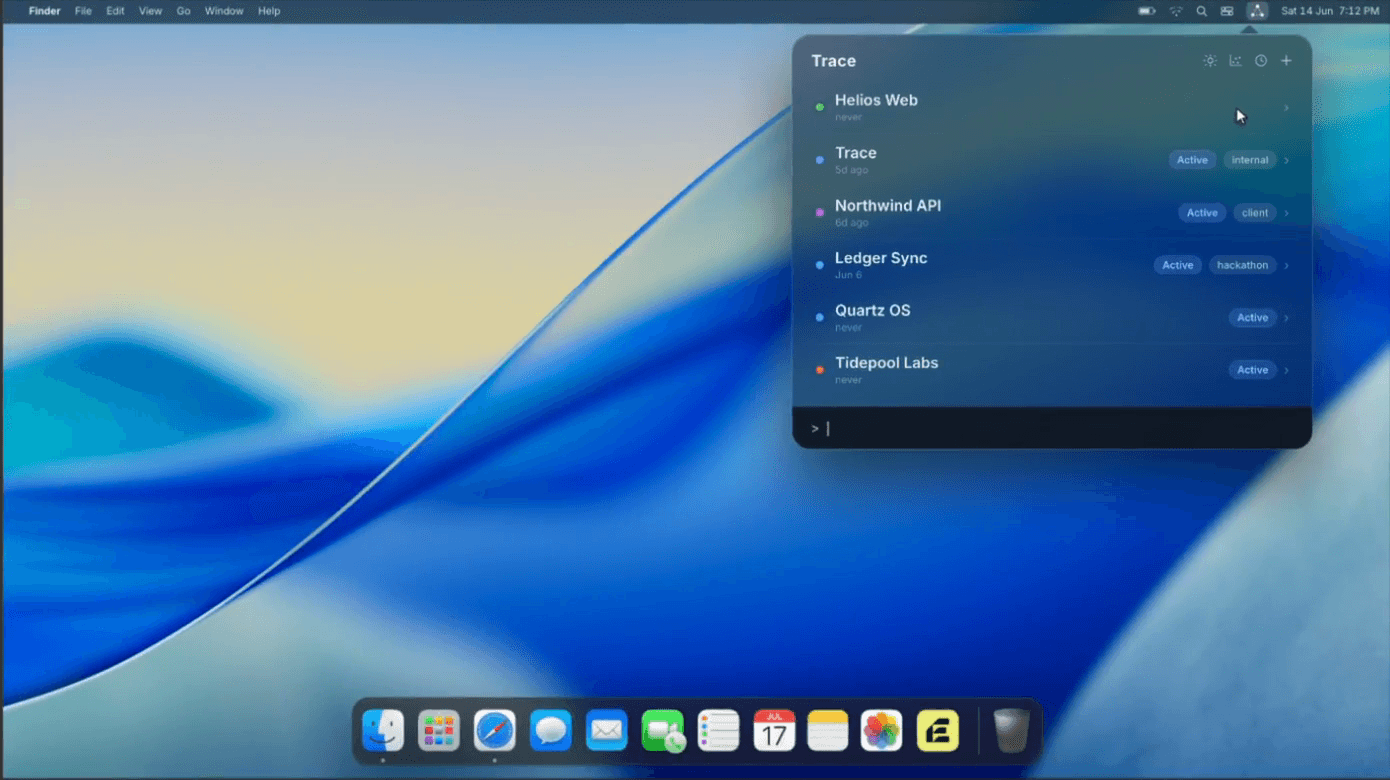
Every project is a colour-coded row with its tags and the last time you touched it. From here you name a project explicitly — /done #northwind — and # tab-completes the name.
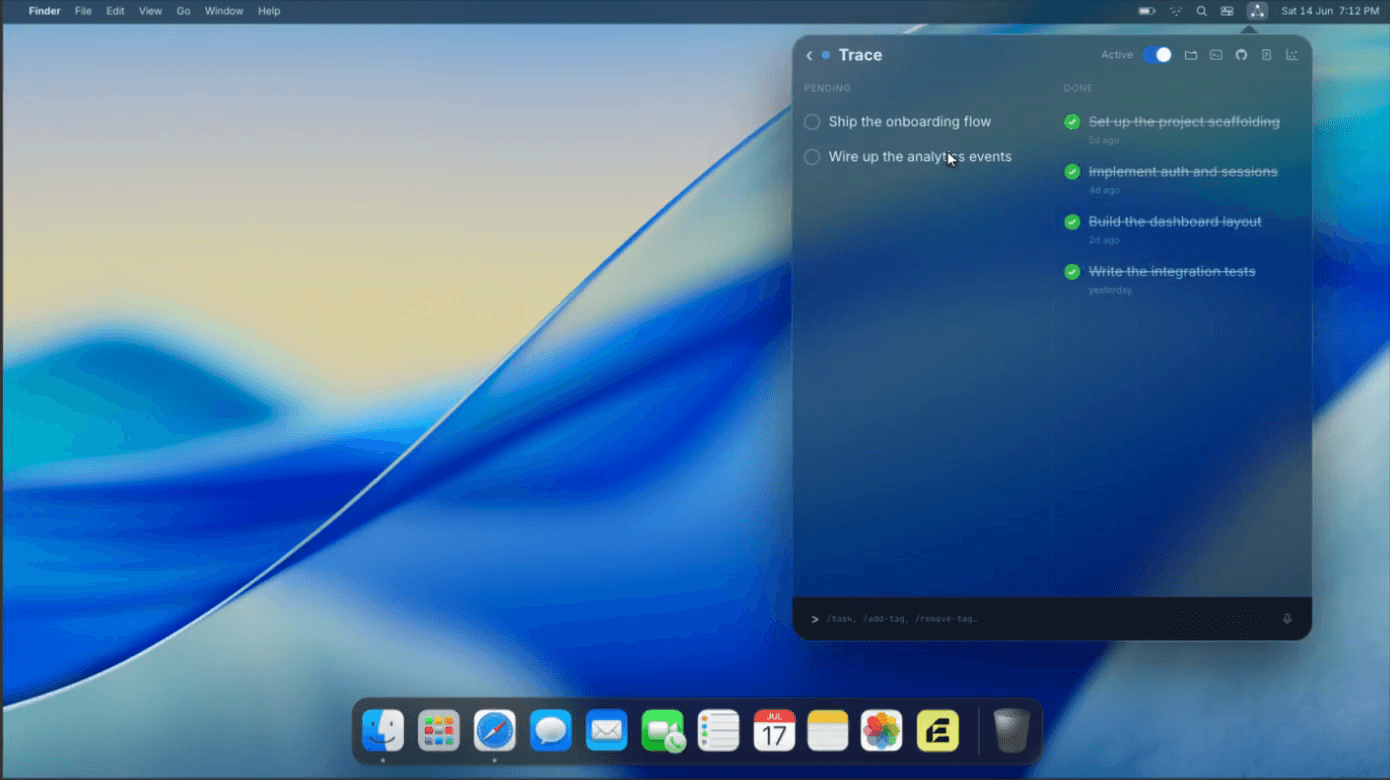
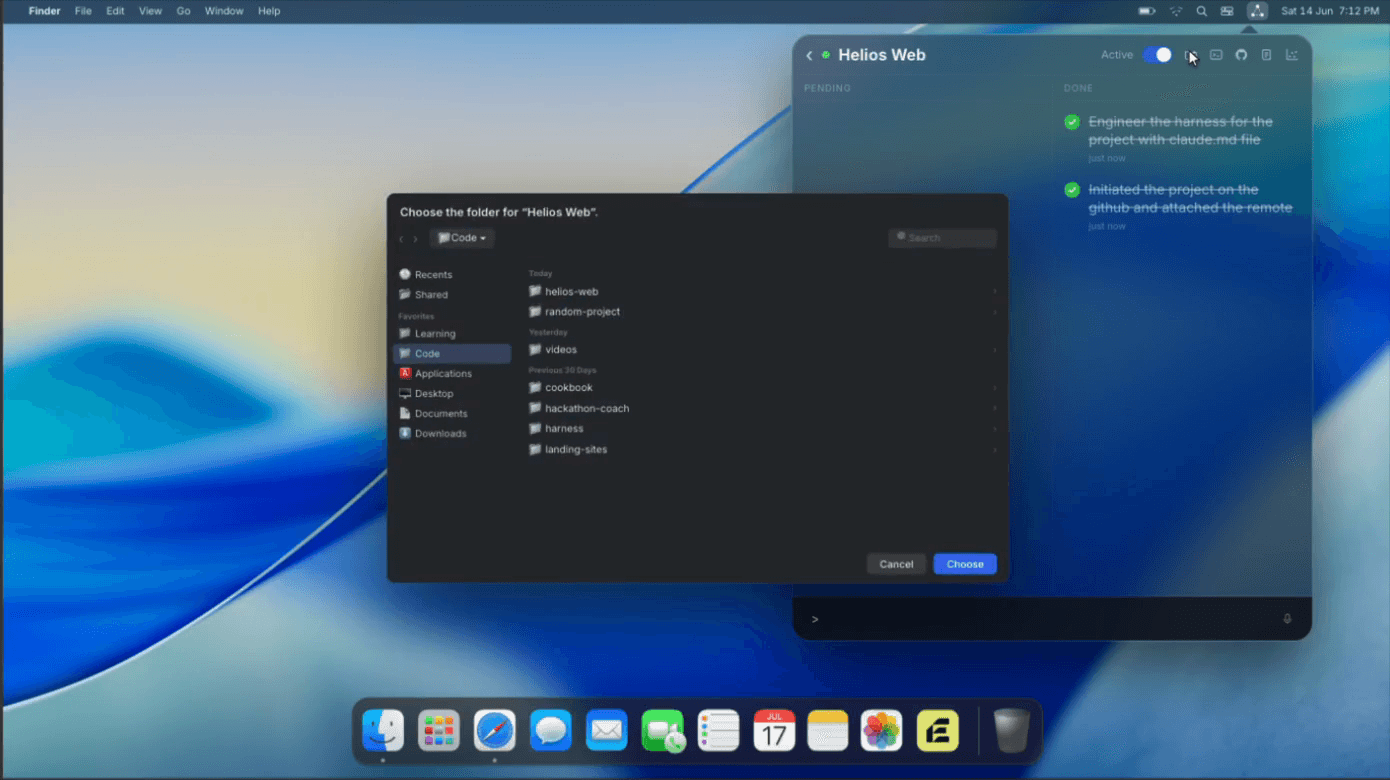
Pending on the left, completed on the right — each entry stamped with when it landed. The header toolbar jumps straight to the folder, repo, editor, and that project's heatmap.
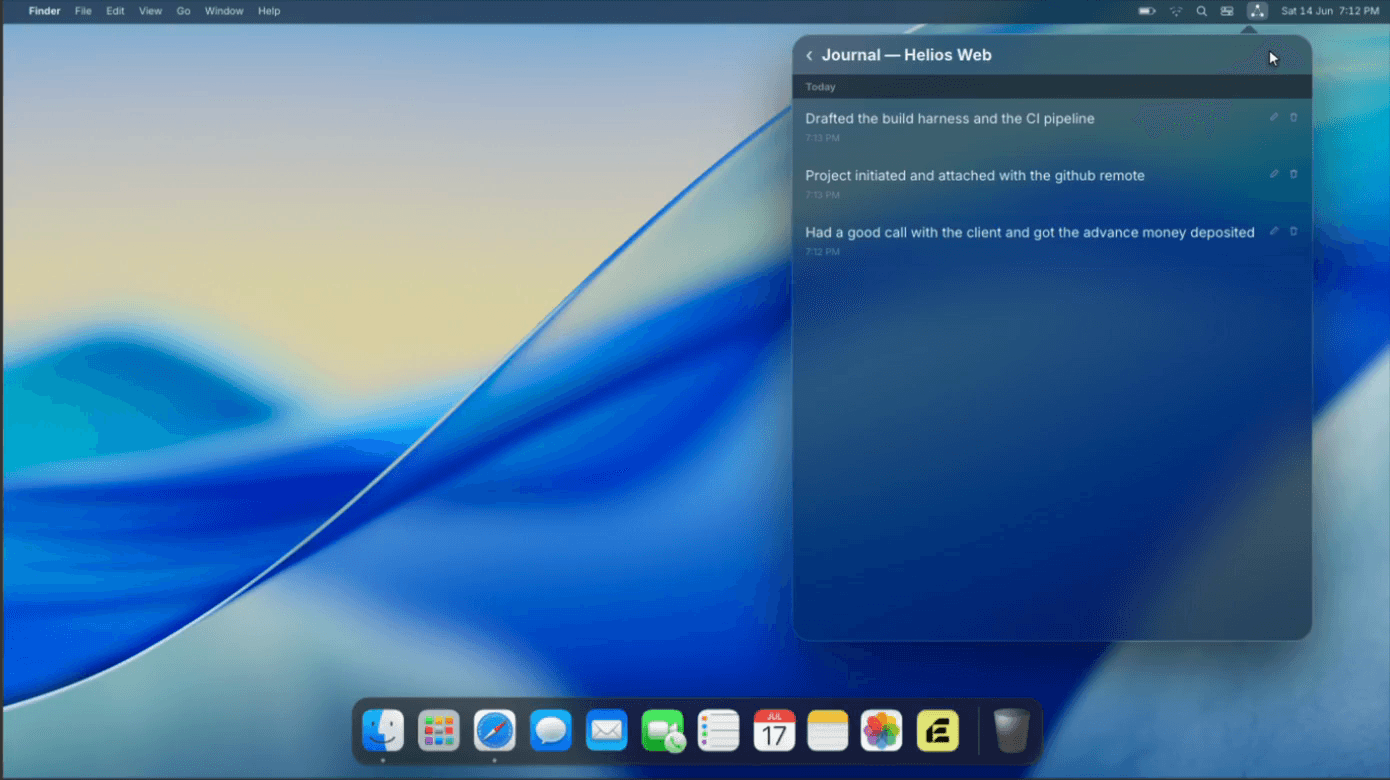
/log drops a timestamped note without leaving the work. Edits and deletions ask first — the record is meant to stay honest.
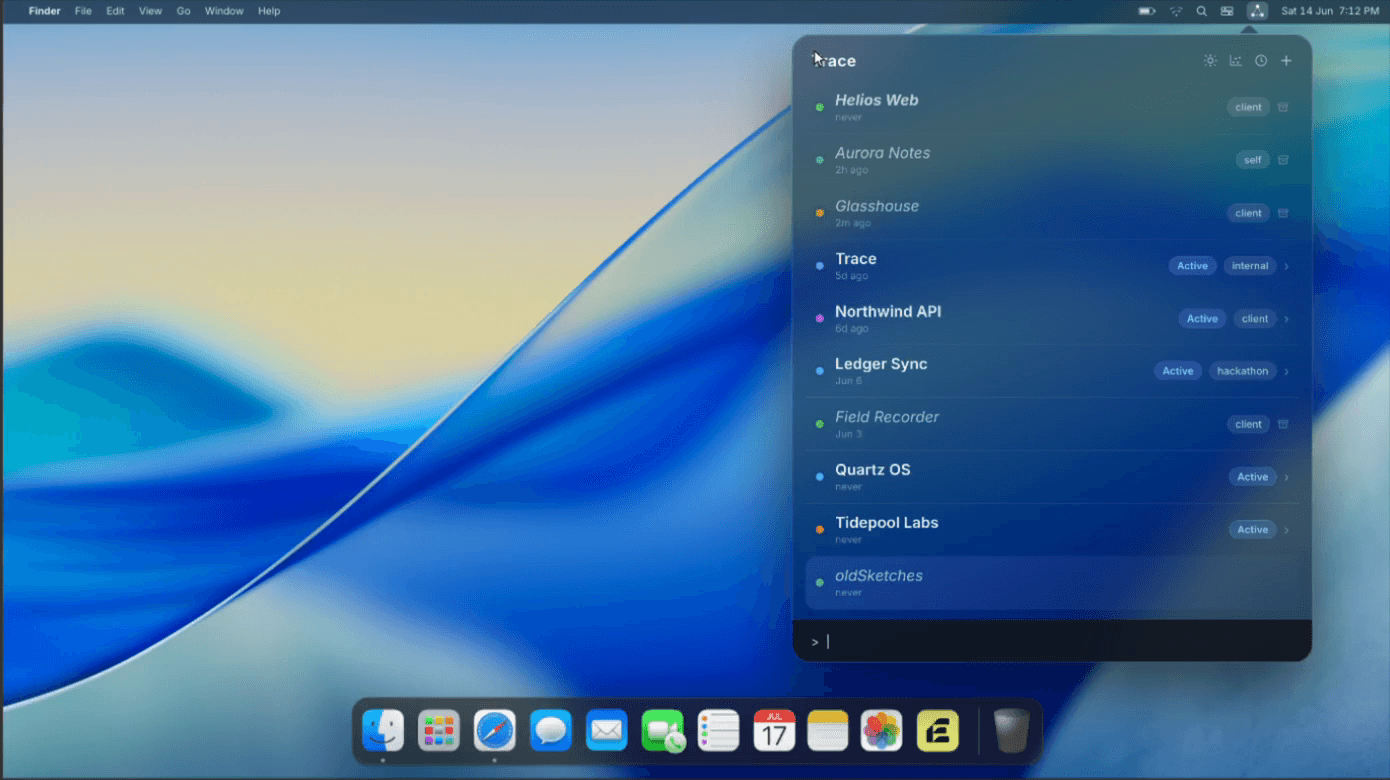
/show-all folds archived projects back into the list — dimmed and italic. Archiving is a quiet toggle, never a permanent delete.
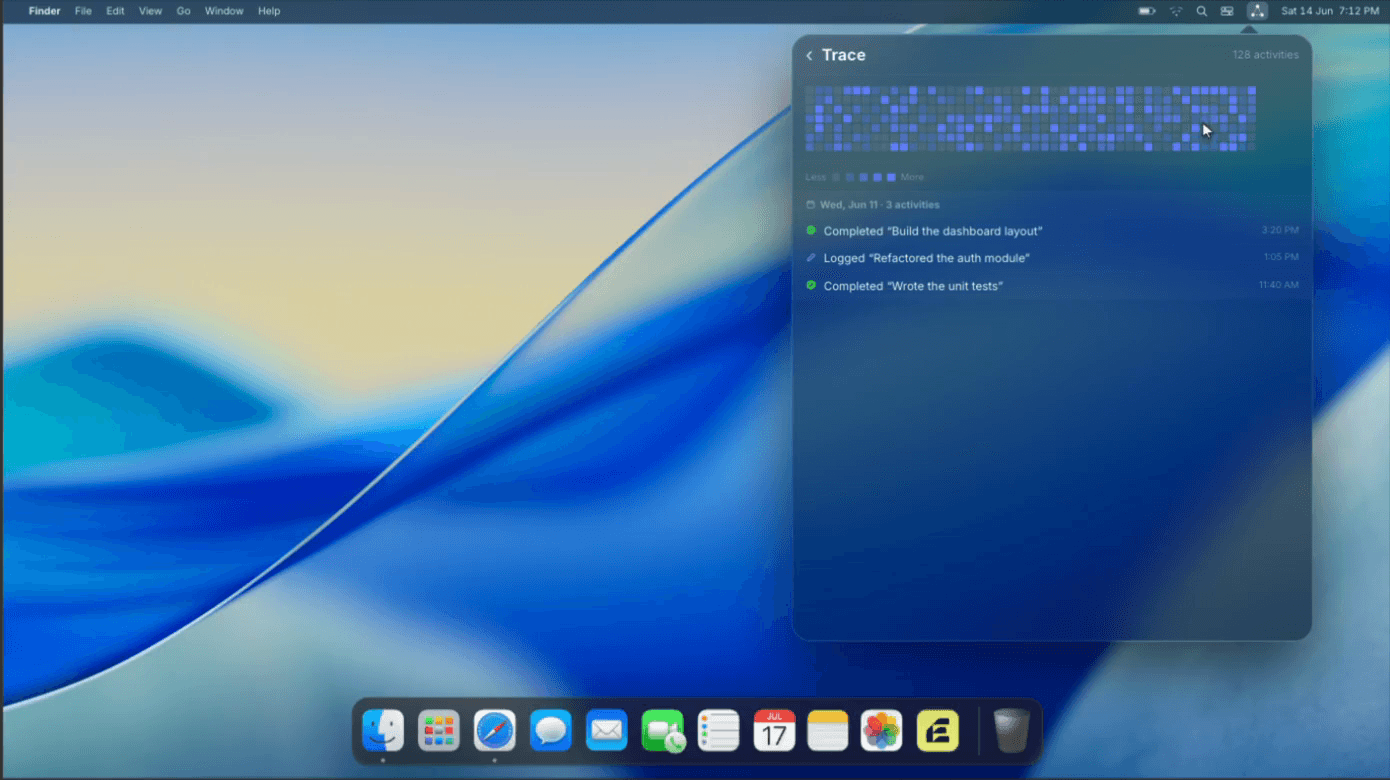
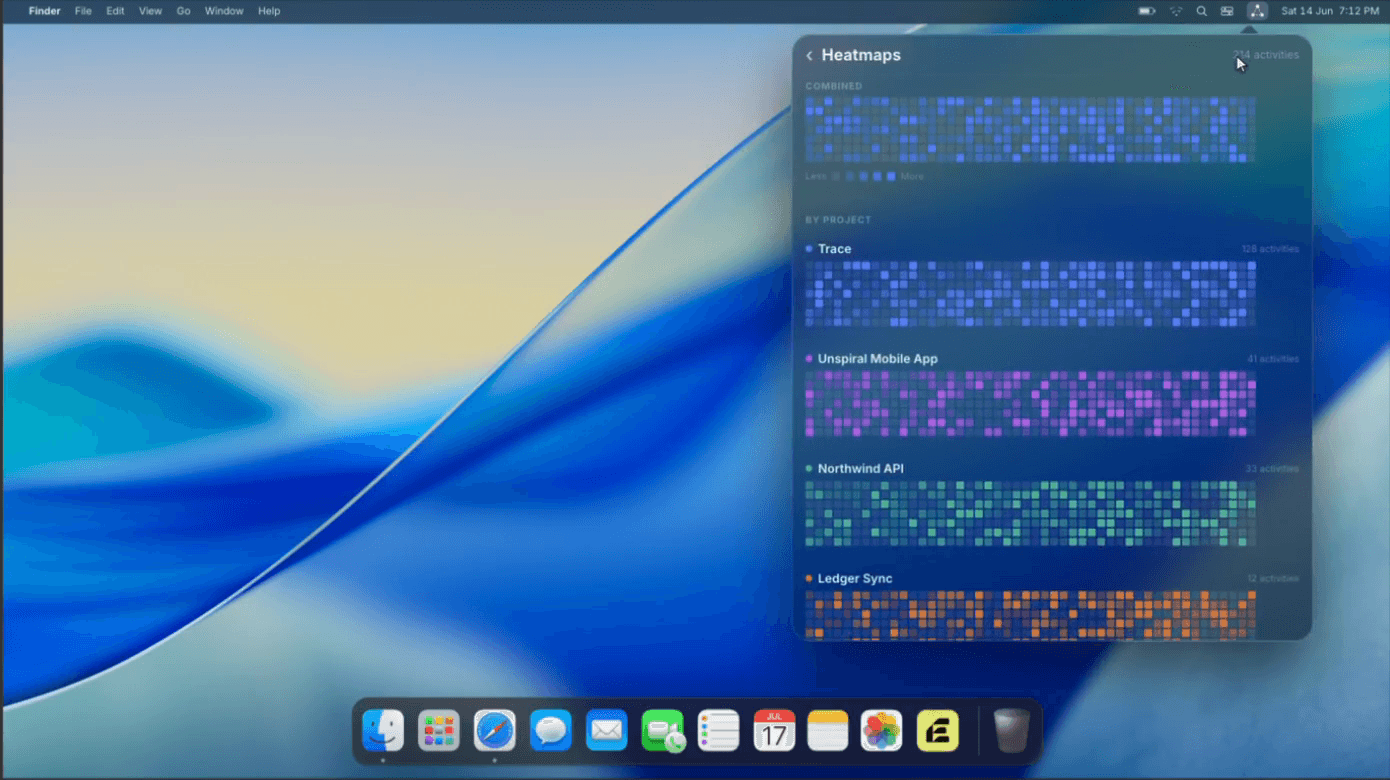
Every project gets a GitHub-style heatmap, from the day you created it to today. Only completions and journal entries count — creating a task does not — and once an activity is more than 24 hours old it's immutable. Click any day to see exactly what you logged. (Try it below.)
Zoom out, too. From the project list, open the Combined view — one heatmap fused across every visible project, with each project's own map stacked below. It respects your current filter: active-only, tag-filtered, or all.

Open any cell to read exactly what you completed and logged that day, down to the minute — completions and journal entries only, locked after 24 hours.

One fused map up top, then each project's own heatmap stacked below in its own colour. See where all your attention actually went at a glance.
Every addition extends the core loop without bending the honest-record philosophy. Nothing nags, nothing syncs, nothing phones home.
Tag any project, then /filter swift narrows the list — and the heatmaps — to what matches. /filter clears it.
Every heatmap cell is clickable. Open a day to see exactly which tasks you completed and which notes you wrote — and when.
Fuse every visible project into one heatmap, with individual maps stacked below. See where all your attention went at a glance.
Start a Pomodoro tile and the countdown lives in your menubar. When it ends, a green outline sweeps the screen edge — no popup, no sound.
Drag to reorder, double-click to edit inline. Unfinished tasks fade from fresh to aging to rotting — neglect is visible, not hidden.
Every byte lives in one SQLite file on your machine. No account, no sync, no network calls for logging. Menubar-only — no Dock icon.
Link a project to a folder once. From then on, the tools you already live in are one click from the log.
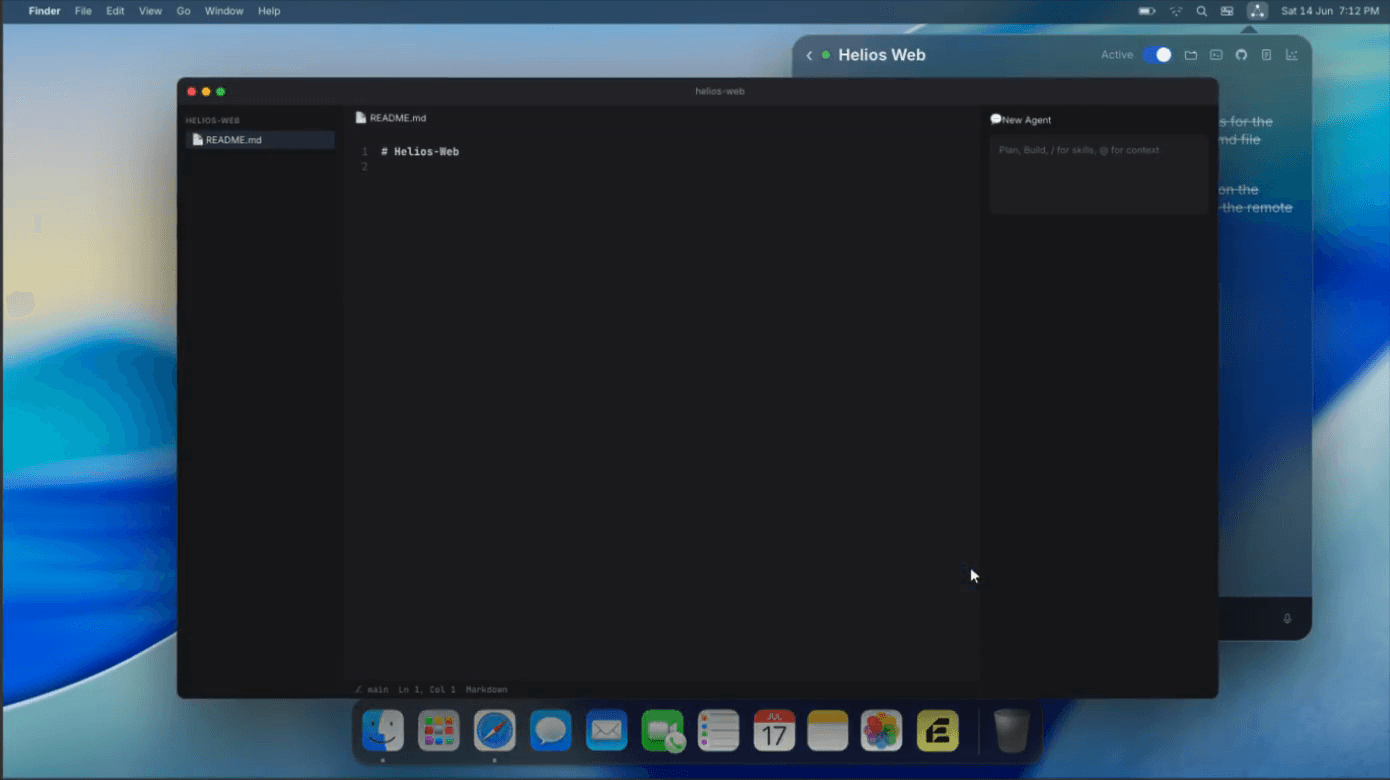
Launch the linked folder straight into your editor.
Drop into a named workspace when socket access allows.
Resolves git origin and opens it in your browser of choice.
A per-project folder path, stored locally. One step toward auto-logging — never a sync.

One click on the editor icon drops the linked folder straight into Cursor — agent panel and all — without leaving the record behind.

Point a project at a directory the first time. Every jump after — editor, repo, workspace — is instant, and the path stays local to your machine.
Notion and Linear answer what needs to be done. Neither answers what you've been doing. Across several projects, that question gets very hard to answer honestly without a record.
Most journaling apps make you context-switch into “journaling mode.” A menubar app with slash commands lets you log a thought in under five seconds — without ever leaving the work.
When you run five projects, one of them is being quietly starved of attention. The heatmap makes that visible — shown as days since you last logged, stated neutrally, never as a nag.
Most tools let you check things off before you do them, then edit history. Trace grounds everything in activity events, and locks them after 24 hours. The record stays honest because it can't be rewritten.
The discipline is the product. Every “no” below is a decision, not a missing feature.
No due dates, no reminders, no streaks-as-achievements. One person, one machine, one SQLite file. Phase 0 ships zero AI features — the loop gets proven before anything clever is added.
One shortcut, one short string, Enter. If logging takes more than that, the tool has failed. This overrides every other consideration.
No notifications, no nags, no badge on the menubar icon — only a timer countdown while you've chosen to run one. You open the app. The app never opens you.
Tasks are cheap to delete. Journal entries require confirmation. Archiving is a quiet toggle in the project header; permanent deletion doesn't exist.
Download Trace, drag it to Applications, and log your first /done in the next five seconds.